
17 min read
Paraguay has become one of Latin America’s easiest countries for expats to settle into — affordable, straightforward residency, and a fast-growing community. Getting a local SIM here takes minutes, and most newcomers swap numbers almost immediately. But that quick switch has a hidden cost: it’s often the exact moment a home bank account loses its ability to verify you’re really you.
……………………………..
Table of Contents
Changing your phone number after moving abroad can create a surprisingly serious problem: you may still have money sitting in your home bank account but suddenly can’t prove you’re you.
It’s a scenario that catches a lot of expats living in Paraguay off guard. You swap your US or Canadian SIM for a local one, and a few weeks later your bank locks you out — not because anything’s wrong with your account, but because the one-time code it needs to send you has nowhere to go. At that point, Paraguay banking 2FA stops being an abstract setup question and becomes an active problem standing between you and your own money.
Here’s the part most guides get wrong: the real issue isn’t simply keeping your US or Canadian phone number. Plenty of expats keep their old number active and still run into trouble with bank SMS verification abroad — the number technically exists, but the carrier won’t deliver texts internationally, or the bank flags the delivery as suspicious and blocks it anyway.
The actual issue is having more than one reliable way to authenticate your financial accounts. A single phone number, no matter how carefully you preserve it, is still a single point of failure.
That’s why this guide isn’t built around finding the one perfect foreign phone number for the banking 2FA solution. It’s built around a different idea: constructing a redundant banking authentication system — one that doesn’t collapse the moment a SIM card, carrier, or country changes.
It’s worth noting that US regulators have been pushing the same direction for reasons that have nothing to do with travel: CISA and the FBI have advised moving away from SMS-based authentication entirely, citing how easily text messages can be intercepted or rerouted — which makes redundancy less of an expat workaround and more of a general best practice that happens to matter even more once you’re living abroad.
Whether you’re still planning your move or already dealing with a lockout, the strategies ahead cover all four situations’ expats actually run into:
- You haven’t moved yet and want to set things up correctly from the start
- You’re already living in Paraguay and need to fix a setup that isn’t working
- You want to keep your existing home-country number as your anchor
- You’ve already lost access to your old number and need a recovery path
Next: why your phone number becomes a liability in the first place, and the exact moment most expats lose access without realizing it’s happening.
Why Your Phone Number Can Become a Paraguay Banking 2FA Problem
Your phone number carries more weight with your bank than most people realize until they lose access to it. It’s not just where your text messages go — it’s woven into nearly every layer of how your bank confirms you’re actually you.
Banks typically rely on your phone number for:
- SMS 2FA — the six-digit code sent every time you log in from a new device or location
- One-time passwords (OTPs) — used to authorize transfers, payments, or account changes
- Login verification — some banks text a code just to confirm an unfamiliar login attempt
- Account recovery — if you forget your password, the reset link or code often goes to your phone
- Fraud alerts — banks text you when they flag suspicious activity, and some require a reply to confirm or deny the charge
That’s five separate touch points depending on one number working correctly, every time, from wherever you happen to be.
This is where switching from a US or Canadian number to a Paraguayan one breaks the chain. It’s not that your bank “finds out” you’ve changed numbers and locks you out on purpose — it’s simpler and messier than that. The moment your old SIM stops receiving texts, every one of those five touch points silently stops working. Your bank doesn’t know your circumstances changed; it just keeps sending codes to a number that no longer exists on your end.

One dropped connection, and every layer of your bank’s verification stops working.
Bank policy on foreign numbers varies more than most guides admit.
Depending on the institution, you may find that a bank:
- Requires a domestic (US/Canadian) number and won’t send SMS codes internationally at all
- Accepts foreign mobile numbers without issue
- Rejects VoIP numbers specifically, even if the number itself can receive normal texts
- Offers alternatives to SMS entirely — authenticator apps, push notifications, or security keys
Here’s the important distinction that trips people up: keeping your old number doesn’t automatically mean you can reliably receive bank verification codes abroad. A number can technically still exist — you can still make calls, the SIM is still active — while international SMS delivery to that number is spotty, delayed, or blocked outright. “I kept my number” and “my number can receive bank OTPs from Paraguay” are two different claims and conflating them is exactly how people end up locked out mid-transaction.
A scenario that plays out constantly: you arrive in Paraguay, get set up with a local SIM card within the first few days — which, to be fair, is exactly what you should do for everyday calls, data, and local numbers — and your old number quietly goes dark in the process. Weeks later, you try to log into your bank account or authorize a transfer, and the verification code gets sent to a number sitting in a drawer back home.
You’re not locked out because you did anything wrong. You’re locked out because the authentication chain had exactly one link, and it broke the moment you weren’t holding both ends of it.
That gap — between having a Paraguay SIM for daily life and still being able to authenticate your home bank — is exactly what the rest of this guide is built to close.
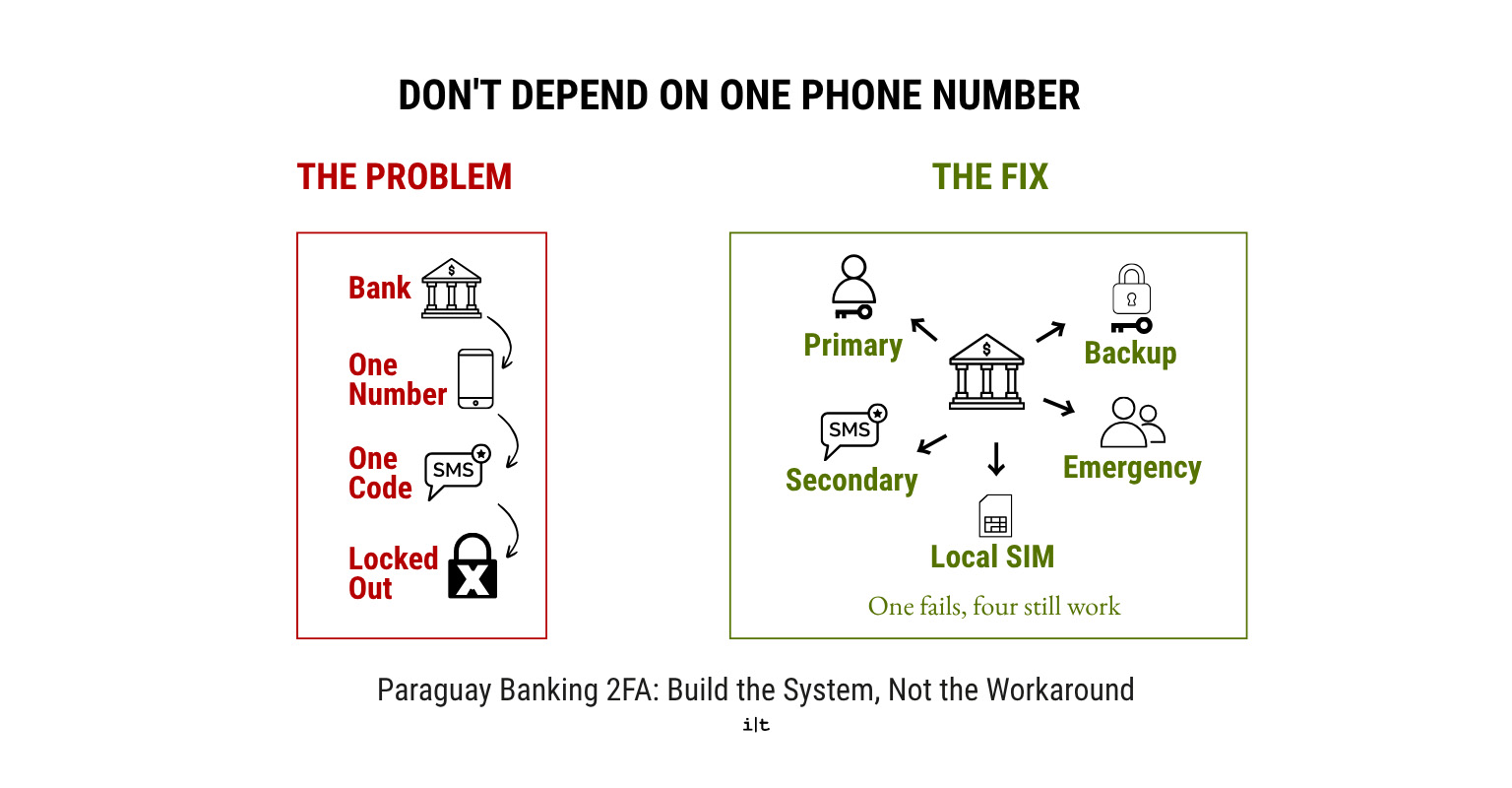
Don’t depend on one phone number — build a system that doesn’t fail all at once.
Build a Redundant Paraguay Banking 2FA System
The fix isn’t finding a better phone number. It’s not depending on one at all.
Right now, most people’s setup looks like this:
Bank → one phone number → one SMS code → locked out if it fails
One weak link, and you’re stuck. The number goes dark, the SMS doesn’t arrive internationally, or the carrier flags it — and there’s no fallback.
The setup you want instead:
Bank → primary authentication method + backup authentication method + working home-country number + recovery option
Redundancy means no single SIM, phone, carrier, or institution can lock you out on their own. If one layer fails, another one still gets you in.
Your ideal setup:
| Layer | Example |
| Primary | Banking app / passkey / authenticator |
| Secondary | Home-country number receiving SMS |
| Local | Paraguay SIM / eSIM |
| Backup | Security key / hardware token / backup codes |
| Emergency | Trusted family member or friend |
Not every bank offers every option here — some still lean entirely on SMS, others support passkeys or authenticator apps.
The goal isn’t to fill all five layers with every account. It’s to make sure each of your accounts has more than one working layer, so a single point of failure never becomes a locked account.
This applies beyond your home bank, too — the same redundancy thinking is worth building into how you set up banking in Paraguay as a foreigner, since local accounts run into similar phone-number dependencies.
The six strategies below are how you build each layer.
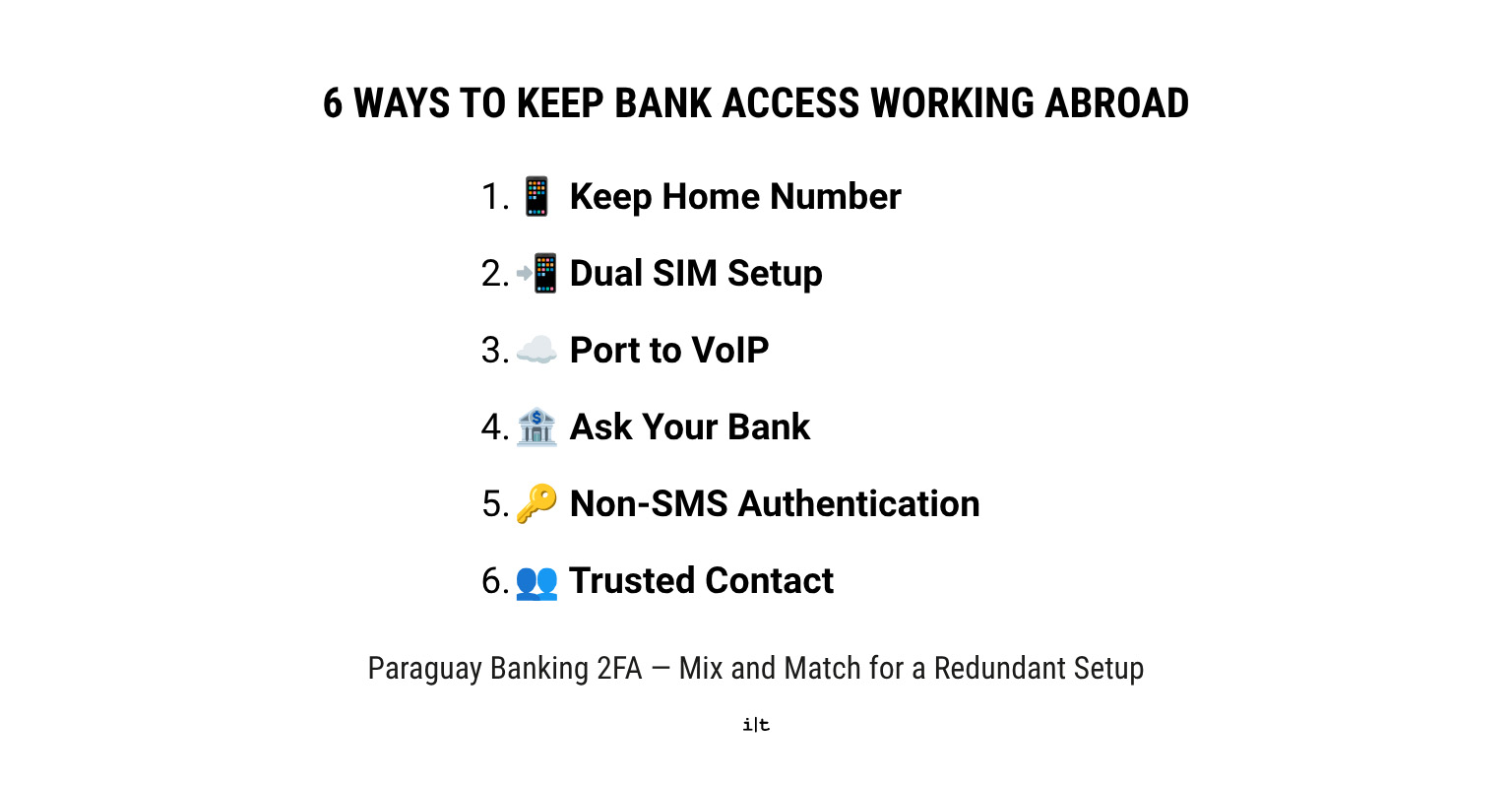
Six practical ways to keep your bank verification working — mix and match for the strongest setup.
Six Paraguay Banking 2FA Strategies
Strategy 1 — Keep Your Home-Country Number
The simplest option: keep your existing US or Canadian number active and paying for itself.
Ways to do it:
- Stay with your current carrier
- Switch to a cheaper plan
- Go prepaid/pay-as-you-go where available
- Use Wi-Fi calling where your carrier supports it
Turn off roaming and data you don’t need — you’re paying to keep the number alive, not to use it daily.
Risk: carriers can restrict service or cancel inactive numbers after enough time abroad.
Before you rely on it: confirm SMS and OTPs actually arrive from Paraguay. A number that’s “active” isn’t the same as a number your bank can reach internationally.
Best for: people who want the simplest fix and can absorb the monthly cost.
Strategy 2 — Use Dual SIM: Home Number + Paraguay Number
Keep your home number for banking, 2FA, and account recovery. Use a Paraguay SIM for data, local calls, local SMS, WhatsApp, and everyday business here.
Works with a physical SIM + eSIM combo, or a dual-SIM phone.
Key point: this isn’t either/or. You don’t have to choose between your old number and a Paraguayan one — carry both.
For most long-term expats, this is the most practical setup on the list.
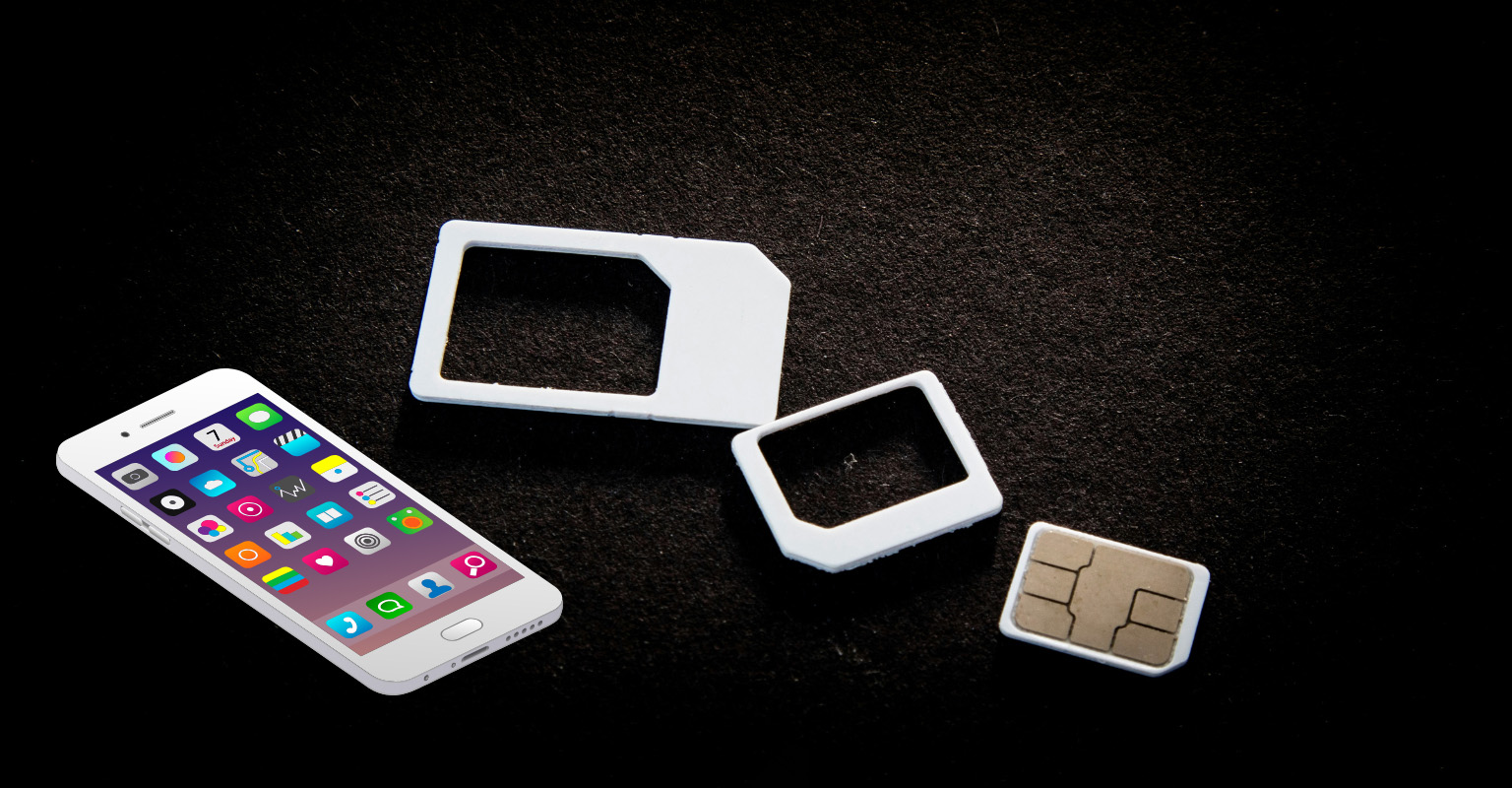
One number for local life, one for banking — dual SIM keeps both working.
Strategy 3 — Port Your Home Number to VoIP
Porting moves your existing number to a VoIP service (Google Voice and similar paid number-parking services are common options), so it lives online instead of on a physical SIM.
Potential upside:
- Lower ongoing cost
- Keeps your established number
- Reachable anywhere with internet
The catch: some banks reject VoIP numbers for 2FA outright. Receiving a normal text doesn’t mean you’ll receive a bank OTP — VoIP numbers get filtered differently.
Before you port: test every bank that matters to you. Don’t cancel your original service until the new setup is confirmed working.
Best for: people trying to cut the cost of a traditional mobile plan.
Strategy 4 — Ask Your Bank to Use a Foreign Number
Contact your bank before you change anything.
Ask directly:
- Do you support Paraguayan mobile numbers?
- Do you support international numbers generally?
- Can OTPs be sent internationally?
- Is a VoIP number acceptable?
Don’t treat the first answer as final — policies vary by bank, and the first rep you reach may not know the full picture. It’s the same “verify, don’t assume” approach worth applying to Paraguay residency requirements, where policy also varies more by branch or agent than by official rule.
If your bank says yes, you may be able to drop the home-number requirement entirely.
Best for: people who want one clean, simplified setup.
Strategy 5 — Move Authentication Away From SMS
Check what your bank offers beyond SMS:
- Authenticator apps
- Push notifications
- Passkeys
- Security keys
- Hardware tokens
- Backup codes
Set these up before you leave, while you still have easy account access. A method that doesn’t depend on a text message reaching you in Paraguay is inherently more reliable than one that does.
Best for: anyone who wants the most resilient setup long-term.
Strategy 6 — Use a Trusted Family Member or Friend
Have someone back home receive your verification code and relay it to you?
Useful when:
- Your bank requires a domestic number
- You’re already in Paraguay without one
- You can’t change the number on file
- You don’t want another phone plan
Advantages: cheap, simple, works even when other methods don’t.
Limitations: depends on someone else’s availability, isn’t practical for frequent logins, and some banks won’t accept a number that isn’t yours. Treat this as a backup layer — not your whole strategy.
Best for: emergency access and banks with strict domestic-number rules.

A working setup means banking access that doesn’t interrupt your day.
Already Living in Paraguay? Here’s What to Do
Not everyone reading this is still planning a move. If you’re already here and your setup isn’t working — or you’re not sure whether it’s working — here’s how to handle it based on where you’re starting from.
Don’t cancel it yet — even if you’re not using it day to day.
Do this instead:
- Test whether you can actually receive bank OTPs from Paraguay right now, before you need one urgently
- Add a non-SMS authentication method as backup, in case the SMS test fails
- Look into cheaper ways to keep the number active (prepaid, minimal plan, Wi-Fi calling)
- Add a local number for everyday use — a step worth having on your Paraguay moving checklist — so your local life doesn’t depend on your banking number either
Keeping the old number “just in case” only works if you’ve confirmed it still functions for what you actually need it for.
This is more work to fix, but it’s usually fixable.
Start here:
- Contact your carrier to see if the number can be recovered — cancelled numbers aren’t always gone for good, especially soon after cancellation
- Ask your bank directly about: switching to a foreign number, alternative (non-SMS) authentication, adding a trusted contact, or setting up a security key or authenticator app
- Check whether the number can be ported or recovered elsewhere — the FCC’s official porting guide explains how number recovery and porting work, and it’s worth understanding before you assume the number is unrecoverable
Don’t start changing banking information at random. Understand what your bank actually requires first — guessing your way through it risks creating a second problem on top of the first.
The fastest path back in:
- Use your bank’s official account recovery process — not a workaround
- Contact the bank directly through its official channels only
- Ask specifically whether they have a process for international customers or expatriates — some do, even if it’s not advertised
- Don’t assume a VPN fixes this — a VPN changes your apparent location, not your ability to receive a text message, so it does nothing for a phone-number authentication problem
If you’re in this position, patience matters more than speed. Official recovery channels take longer than a workaround would, but they’re the only path that doesn’t risk further locking the account.
Which Paraguay Banking 2FA Strategy Is Best?
There’s no single ‘best’ Paraguay banking 2FA strategy here — the right pick depends on how long you’re staying, what your bank supports, and how much setup effort you’re willing to put in upfront.
Use this table to compare at a glance, then treat it as a starting point rather than a final answer — most expats end up combining two or three of these rather than relying on just one.
| Strategy | Reliability | Cost | Setup | Best For | Biggest Risk |
| 📞 Keep home number | High* | $$ | Easy | Most expats | Carrier restrictions |
| 📳 Dual SIM | Very high* | $$ | Easy | Long-term expats | Requires compatible phone |
| 🌐 VoIP | Variable | $ | Medium | Reducing monthly costs | Banks may reject it |
| 🔢 Foreign number with bank | Variable | $ | Medium | Simplifying setup | Bank may not support it |
| 📧 Non-SMS authentication | Very high* | $ | Medium | Maximum redundancy | Not offered by every bank |
| 🛡️ Trusted person | Medium | $ | Easy | Backup/emergency | Depends on another person |
Test Your Paraguay Banking 2FA Setup Before You Need It
Everything in this Paraguay banking 2FA guide only works if you’ve actually tested it. A backup authentication method you’ve never confirmed works is just a theory — and the worst time to discover it doesn’t is mid-transaction, with no way to fix it quickly.
Before Moving
Do this while you still have full access to your accounts and time to fix problems calmly:
- List every important bank and financial account you’ll need access to from Paraguay — this is worth doing alongside the rest of your financial planning as you work through cost-of-living and budgeting for the move
- Identify how each one authenticates you — SMS, app, email, security key, or some combination
- Determine whether SMS is mandatory for any of them, or just the default option
- Add alternative authentication methods wherever your bank offers them
- Confirm your current number can receive codes internationally — don’t assume it, check it
- Set up backup and recovery methods for every account, not just your primary one
- Test the entire new setup end to end, not just individual pieces
- Don’t cancel your old number until every test has passed
That last point is worth repeating: your current number is your safety net until the new system is proven to work. Cancelling early to “simplify” is how people end up locked out.
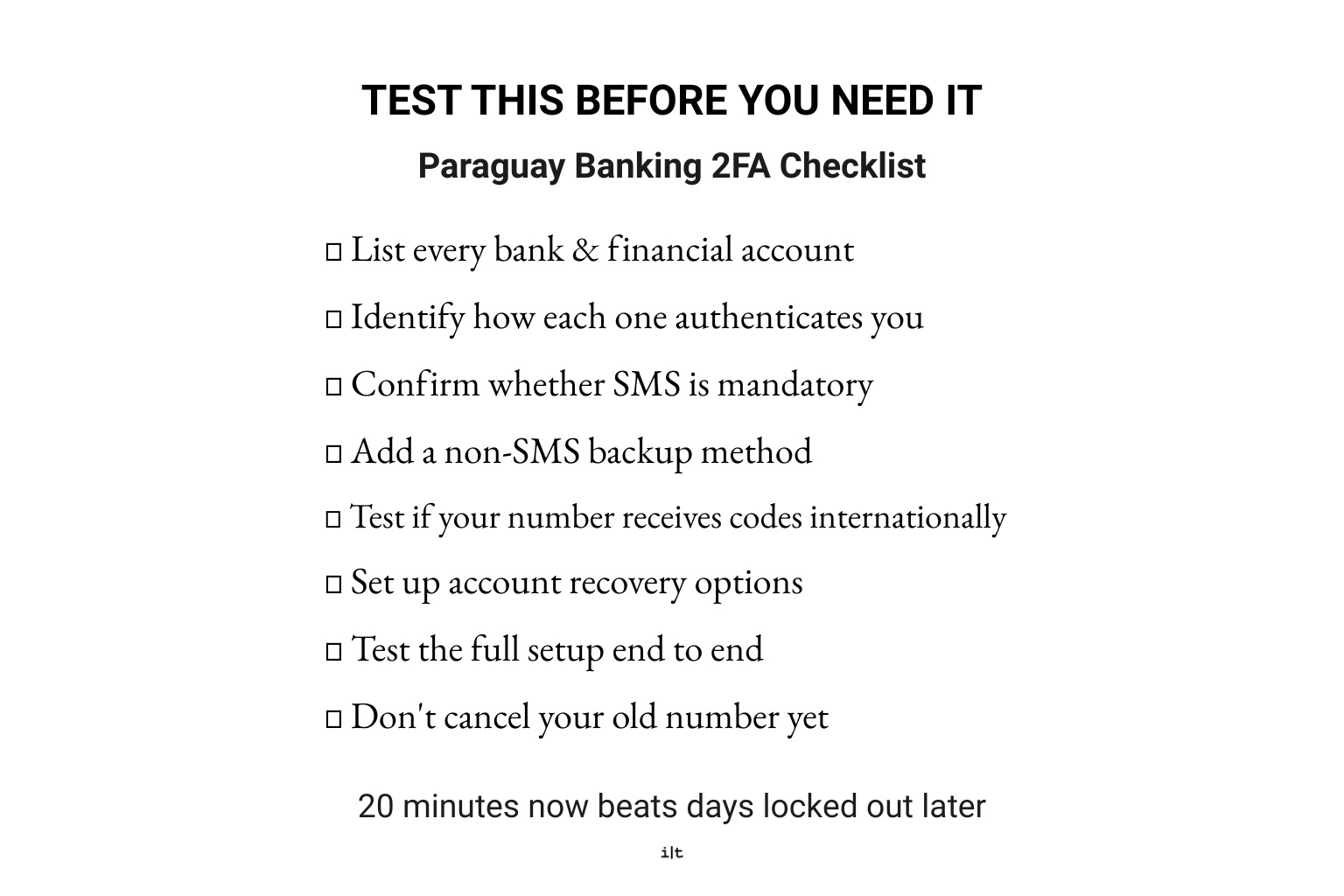
Twenty minutes of testing now beats days locked out later.
If You’re Already in Paraguay
The process is the same, just more urgent:
- Test every bank now — not the next time you need to log in or send a transfer
- Don’t wait until an urgent transaction to find out something’s broken
- Fix your weakest authentication method first — usually whichever one depends entirely on SMS
- Build at least one backup option for every account, even if it feels like overkill
Testing takes twenty minutes. Being locked out of your own bank account from another country can take days or weeks to resolve — that math alone is the reason to do this now rather than later.

When a verification code doesn’t arrive, the fix depends on knowing exactly why.
What Happens When Paraguay Banking 2FA Doesn’t Work?
Even a well-tested setup can hit snags. Here’s how to troubleshoot the most common failure points without wasting time chasing the wrong fix.
This is the most common failure, and it has several possible causes — which matters, because the fix depends on which one it actually is:
- Roaming or carrier issue — your carrier isn’t delivering international texts reliably
- Number inactive — the SIM has been dormant long enough to stop receiving anything
- Bank doesn’t send internationally — some banks simply don’t route OTPs outside their home country
- VoIP filtering — the bank is silently blocking texts to VoIP numbers
- Network problem — sometimes it really is just a bad connection, on your end or theirs
Work through these in order rather than guessing. A five-minute call to your carrier can rule out two or three causes before you assume the problem is with the bank.
Don’t try to troubleshoot this on your own — ask the bank directly:
- Are foreign numbers supported at all, or is a domestic number required?
- Is there an alternative authentication method available instead of SMS?
A rejected number is a policy issue, not usually a technical one, so the fastest fix is getting a straight answer from the bank rather than experimenting with workarounds.
If texts come through fine from everyone else but not your bank, the VoIP service almost certainly isn’t broken — the bank is filtering it. Banks that reject VoIP numbers for 2FA do so specifically, on their end, regardless of whether the number itself functions normally. Don’t waste time troubleshooting your VoIP provider when the block is coming from the bank’s side.
- Use the bank’s official account recovery process — nothing else
- Contact the bank directly, not through a third party or workaround
- Use whichever backup authentication method you set up in advance — this is exactly the scenario the redundant authentication system from earlier in this guide is meant to prevent
- Don’t wait until you’re mid-transaction to start this process — recovery takes time, and urgency doesn’t speed it up
If you’re reading this section because you’re already locked out, the short version is: stop trying workarounds, go straight to the bank’s official recovery channel, and expect it to take longer than you’d like. That’s normal, not a sign you’re doing something wrong.
Paraguay Banking 2FA Decision Framework
If you’ve read this far and want the short version — skip the strategy-by-strategy breakdown and find your situation below and get your Paraguay banking 2FA setup sorted in one pass.
| Your Situation | Recommended Setup |
| 🔜 Moving soon | Keep home number + add Paraguay SIM/eSIM |
| 🔢 Already in Paraguay with home number | Keep it + test 2FA + add backup |
| 🏡 Permanent relocation | Dual SIM + alternative authentication |
| 🔗 Want to eliminate home carrier | Investigate VoIP + test every bank first |
| 🏛️+ Bank accepts foreign numbers | Change to Paraguay number if appropriate |
| 🏛️? Bank requires domestic number | Keep home number or use another authentication method |
| ¿? Already lost home number | Try recovery + bank alternatives + trusted contact |
| 🆘 Need occasional emergency access | Trusted person as backup |
A couple of notes on reading this table:
More than one row can apply to you at once. Someone moving permanently who also wants to drop their home carrier eventually should still start with dual SIM, then investigate VoIP only after testing confirms it’ll work with their specific bank — not as a same-day switch.
“Recommended setup” here means the starting point, not the finish line. Every row assumes you’ll still test the setup before depending on it and add a backup layer where you can, per the earlier sections. This table tells you where to focus first, not where to stop.
If your situation doesn’t map cleanly onto one row — most people don’t — go back to the redundant authentication system section and build outward from there instead of trying to force-fit a single row.
Paraguay Banking 2FA FAQ
Can I use a VoIP number for bank 2FA?
Sometimes — it depends entirely on the bank. Some accept VoIP numbers without issue; others block them specifically, even if the number receives normal texts fine. Test with your specific bank before porting your number or cancelling your original service.
Does Google Voice work for bank verification?
It can, but not universally. Google Voice numbers are VoIP numbers, so they’re subject to the same bank-by-bank filtering as any other VoIP service. Confirm it works with each of your banks before relying on it.
What happens if my home SIM goes inactive abroad?
Every authentication method tied to that number stops working at once — SMS 2FA, OTPs, login verification, and account recovery. Your bank won’t necessarily notify you; the code just goes to a number that no longer receives it, which is often how people discover they’re locked out.
Can someone else’s phone number be used for bank verification?
Some banks allow it, treating a trusted contact as a relay for your verification codes. Others require the number on file to belong to the account holder. Check with your specific bank and treat this as a backup option rather than your primary setup either way.
What should I do if I’m already locked out of my bank?
Use the bank’s official account recovery process and contact them directly — not through a workaround or third party. If you have a backup authentication method set up, use it now. Expect recovery to take longer than you’d like; that’s normal for international account access issues.
Paraguay Banking 2FA: Final Thoughts
Your Paraguay banking 2FA setup shouldn’t come down to a single phone number. If there’s one thing worth taking from this guide, it’s that: the goal was never to find one magical phone service that solves everything — it’s building a system that doesn’t fail just because one piece of it does.
Ideally, by the time you’re done, you have:
- A working home-country number
- A Paraguay number
- At least one non-SMS authentication method
- A recovery option you’ve actually tested
That’s four independent paths back into your account instead of one. None of them need to be perfect on their own — they just need to not all fail at the same time. This same layered thinking is worth applying beyond banking, too, especially if you’re still working through the broader financial side of the move, like how to manage your finances in Paraguay as a retiree.
If you’re still deciding where makes sense for you
start with our FREE Latin America Residency Map
It’s built to help you compare Paraguay against other options before you commit to a move, a bank, or a phone plan.
✔ No Spam
✔ Instant Access
✔ Free Download
Disclaimer: This post is for general informational purposes only and isn’t financial, legal, or banking advice. Bank policies on international phone numbers, VoIP, and two-factor authentication vary by institution and change without notice — always confirm current requirements directly with your bank before making changes to your account or authentication setup.